Show-ADTDialogBox old dialog technology, not scalable
Show-ADTInstallationPrompt new dialog technology, scalable up to 175% tested
Primary background, there is an interruption in the docking station firmware, I would like to give the user 10 minutes to back up, before the installation starts
Info for the user per language
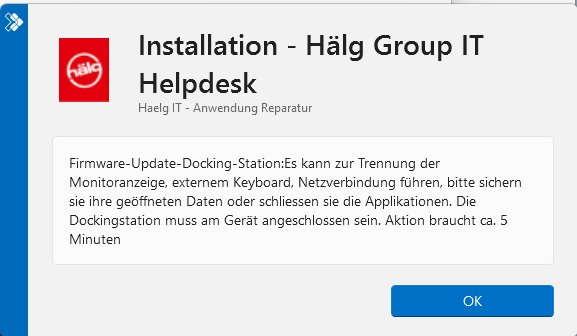
Firmware update docking station: This may cause the monitor display, external keyboard, and network connection to disconnect. Please back up any open data or close the applications. The docking station must be connected to the device. Action takes about 5 minutes
Show-ADTInstallationPrompt
New dialog technology
No progress bar
##Don’t wait, install now, the hint dialog will appear at the end, but progress bar - logical because of -nowait
##if ($MyUser) {if (!$adtSession.UseDefaultMsi) {Show-ADTInstallationPrompt -Title ‘Installation - Company’ -Message $MyMessage -ButtonRightText ‘OK’ -Icon Information -NoWait } }
##Waiting, but no progress bar
##if ($MyUser) {if (!$adtSession.UseDefaultMsi) {Show-ADTInstallationPrompt -Title ‘Installation - Company’ -Message $MyMessage -ButtonRightText ‘OK’ -Icon Information } }
##Waiting, but no progress bar
if ($MyUser) {if (!$adtSession.UseDefaultMsi) {Show-ADTInstallationPrompt -Title ‘Installation - Company’ -Message $MyMessage -ButtonRightText ‘OK’ -Icon Information -Timeout 600} }
progress bar

Show-ADTDialogBox
Old dialog technology - no scaling

Progress bar present, which I find very helpful as a reminder
##waits, including progress bar, but Show-ADTDialogBox brings a non-scalable dialog PSADT refers itself to use Show-ADTInstallationPrompt
if ($MyUser) {if (!$adtSession.UseDefaultMsi) {Show-ADTDialogBox -Title ‘Installation Company’ -Text $MyMessage -Buttons ‘OK’ -Icon Information -Timeout 600 } }
Logically, I could add a final dialog, but I think the progress bar is better here
Bug or feature, suggestions?
