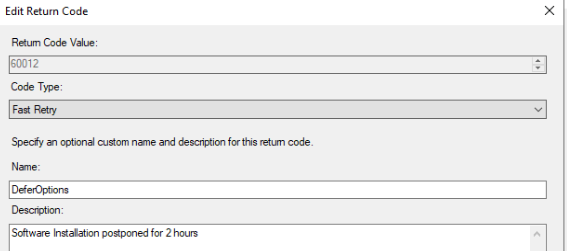
I want to switch from old office versions to Office 365 and I can do this with the following codes. However, I deployed it as Application and I get an error in Software Center.
When I deploy it as a package and set it to run every 1 hour, even if my application is installed, the prompt appears to reinstall it.
How can I solve this problem?
function Install-ADTDeployment
{
    ##================================================
    ## MARK: Pre-Install
    ##================================================
    $adtSession.InstallPhase = "Pre-$($adtSession.DeploymentType)"

        [version]$InstalledAppversion = Get-ItemProperty -path 'HKLM:\Software\Microsoft\Office\ClickToRun\Configuration' -Name 'VersionToReport' -ErrorAction SilentlyContinue | Select-Object -ExpandProperty VersionToReport -ErrorAction SilentlyContinue
        if (($InstalledAppversion -ne $null) -and ([version]'16.0.18526.20168' -gt [version]$InstalledAppversion))
        {

            Write-ADTLogEntry -Message "App already Installed"
            Close-ADTSession -ExitCode 0
            exit 0
        }
        else
        {
            Show-ADTInstallationWelcome -CloseProcesses winword, excel,outlook -AllowDefer -DeferTimes 3 -CheckDiskSpace -PersistPrompt

            Show-ADTInstallationProgress


            ## <Perform Pre-Installation tasks here>


            ##================================================
            ## MARK: Install
            ##================================================
            $adtSession.InstallPhase = $adtSession.DeploymentType

            ## Handle Zero-Config MSI installations.
            if ($adtSession.UseDefaultMsi)
            {
                $ExecuteDefaultMSISplat = @{ Action = $adtSession.DeploymentType; FilePath = $adtSession.DefaultMsiFile }
                if ($adtSession.DefaultMstFile)
                {
                    $ExecuteDefaultMSISplat.Add('Transform', $adtSession.DefaultMstFile)
                }
                Start-ADTMsiProcess @ExecuteDefaultMSISplat
                if ($adtSession.DefaultMspFiles)
                {
                    $adtSession.DefaultMspFiles | Start-ADTMsiProcess -Action Patch
                }
            }

            ## <Perform Installation tasks here>

            $dirOffice = "C:\Program Files\Microsoft Office\"
            $officeVersions = @("Office16", "Office15", "Office14", "Office13", "Office12")
            foreach ($version in $officeVersions) {
                $officePath = Join-Path $dirOffice $version
                if (Test-Path $officePath) {
                    Write-Host "Detected: $version - Running SaRACmd.exe"
                    Start-ADTProcess -FilePath '.\Files\saracmd\SaRACmd.exe' -ArgumentList '-S OfficeScrubScenario -AcceptEula -OfficeVersion All'
                    Write-ADTLogEntry -Message "Office Scrubber baslatildi."
                    break  # İlk bulunan sürümde işlemi durduruyoruz
                }
            }


            Start-ADTProcess -FilePath "$PSScriptRoot\Files\Office365\setup.exe" -ArgumentList "/configure $PSScriptRoot\Files\Office365\configuration.xml"

            ##================================================
            ## MARK: Post-Install
            ##================================================
            $adtSession.InstallPhase = "Post-$($adtSession.DeploymentType)"

            ## <Perform Post-Installation tasks here>


            ## Display a message at the end of the install.
            if (!$adtSession.UseDefaultMsi)
            {
                Show-ADTInstallationPrompt -Message 'Office uygulamanız güncellendi.' -ButtonRightText 'Tamam' -Icon Information -NoWait
            }

        }
}
I just want to check if the application is installed. If it is installed, it should exit without any action
I am deploying this application as a package, it will run again in one hour intervals.
My defer time is 3
How do you do it?
There is no problem with my application installation steps. There is also no problem in my Office uninstallation step, I know that the detection part of the old office versions is wrong, I am temporarily using it that way.