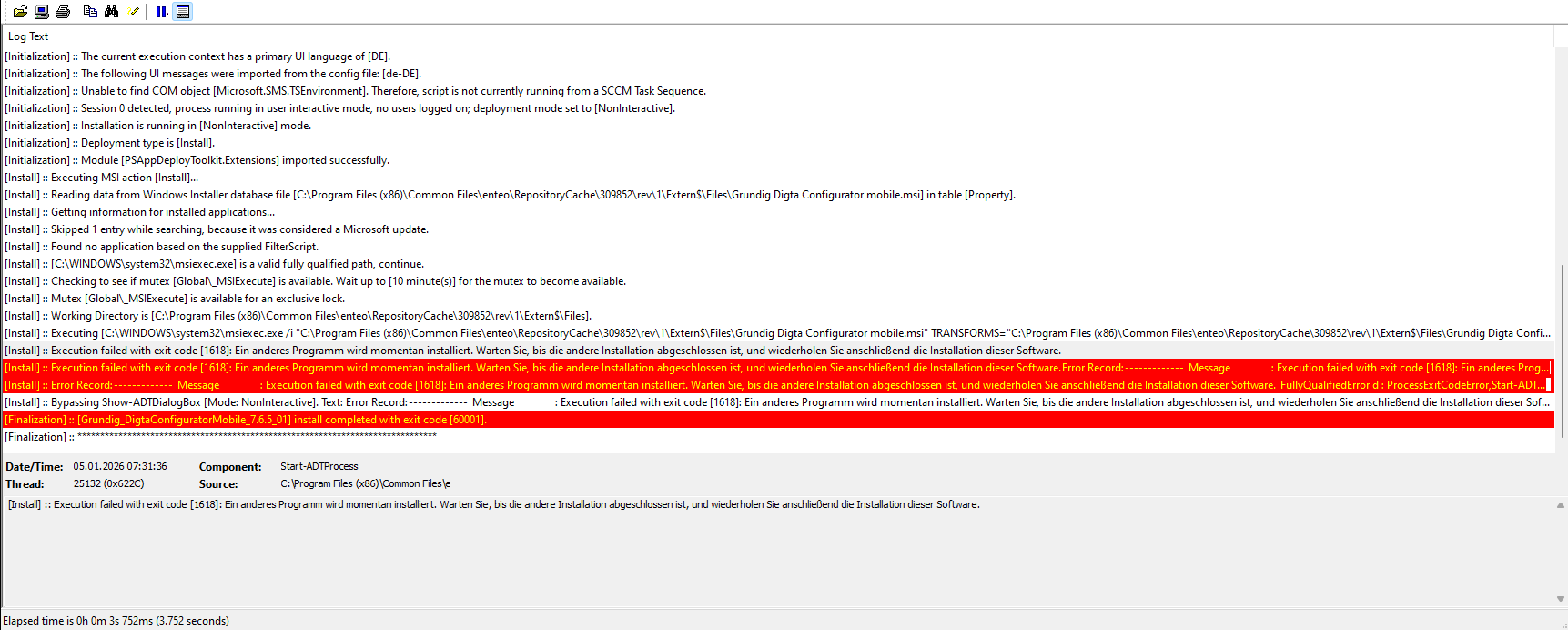
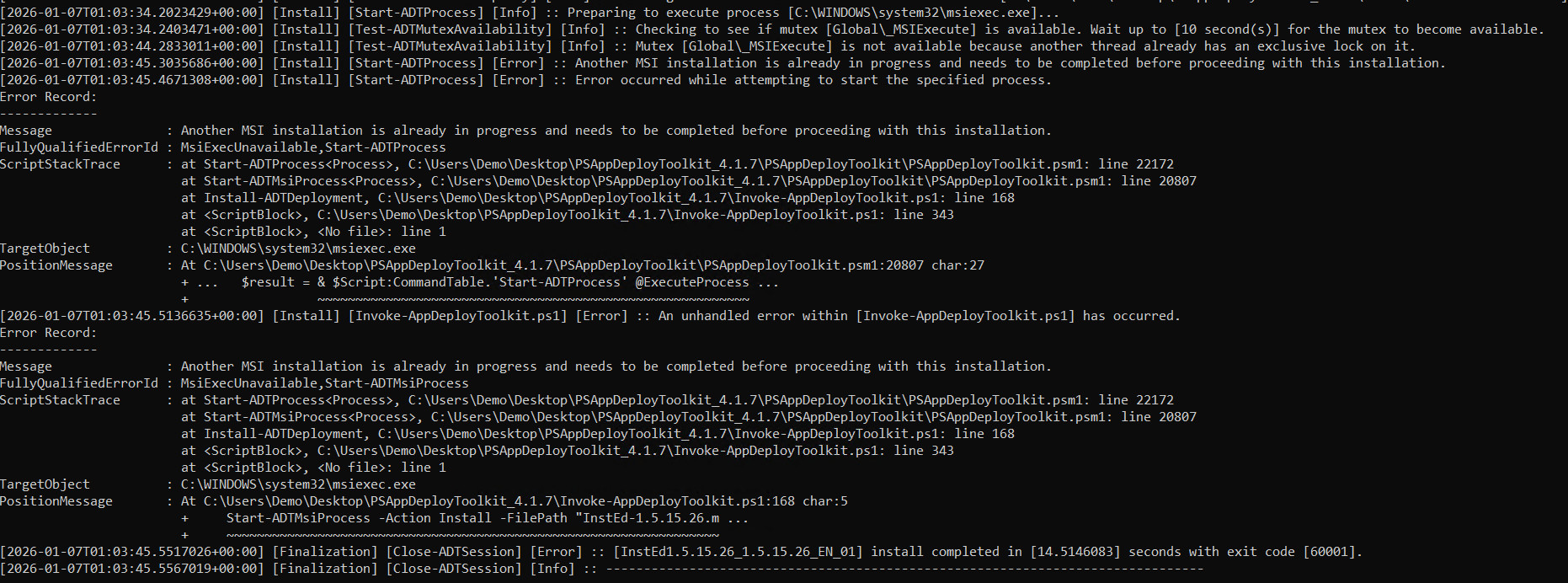
Is it correct that an MSI error 1618 should ultimately be interpreted as 60001?
That's a little bit strange. The user is getting an error message, but they dont know why.
And if i correctly understoud the toolkit is checking if the Windows Installer is available for installation.
Between "checking Mutex" and the installation try, are only 5 seconds. This should be till 10min.
In my opinion, there is a problem by checking the mutex. The Windows Installer, at this time is running in user part, cause "HP Wolf Security" make an initialization. This can be from 5 sec till 20min (new Profile). So the Windows Installer is blocked by "HP wolf Security" and the toolkit did not recognize it.
It would be much easier if the 1618 will not interpreted to an 60001 and stay 1618 or is there an option, where the user did not get the error message to view.
If this is your experience with a failing MSI, then it's a bug and it should be reported on our GitHub page for us to review and address
It may be resolved by happenstance in our main development branch, but we're preparing a new patch release and it may not be resolved there so it'll be good to look at it before that patch goes out.
@BlackBox further to the above, I'll need you to provide your deployment script so I can review your precise setup. I've been unable to replicate this. Perhaps also confirm what version of the module you're using? This was tested against 4.1.7.
I am able to repro this; yes Start-ADTMsiProcess comes back with 1618 as per your screenshot @mjr4077au, but this then trips up the standard try/catch loop in the script which ultimately ends up exiting with 60001.
I too would prefer the toolkit to exit with 1618 in this situation so that the deployment system knows it needs to do a fast retry.
EDIT: This isn't quite the same situation. In the OP, the toolkit gets as far as attempting to run msiexec after detecting that the mutex is available. I'm not sure if this is due to a timing issue where some other installer kicked in in-between the check and the execution, or an issue in 4.0.6, but we will await to see if your issue was resolved in 4.1.7!