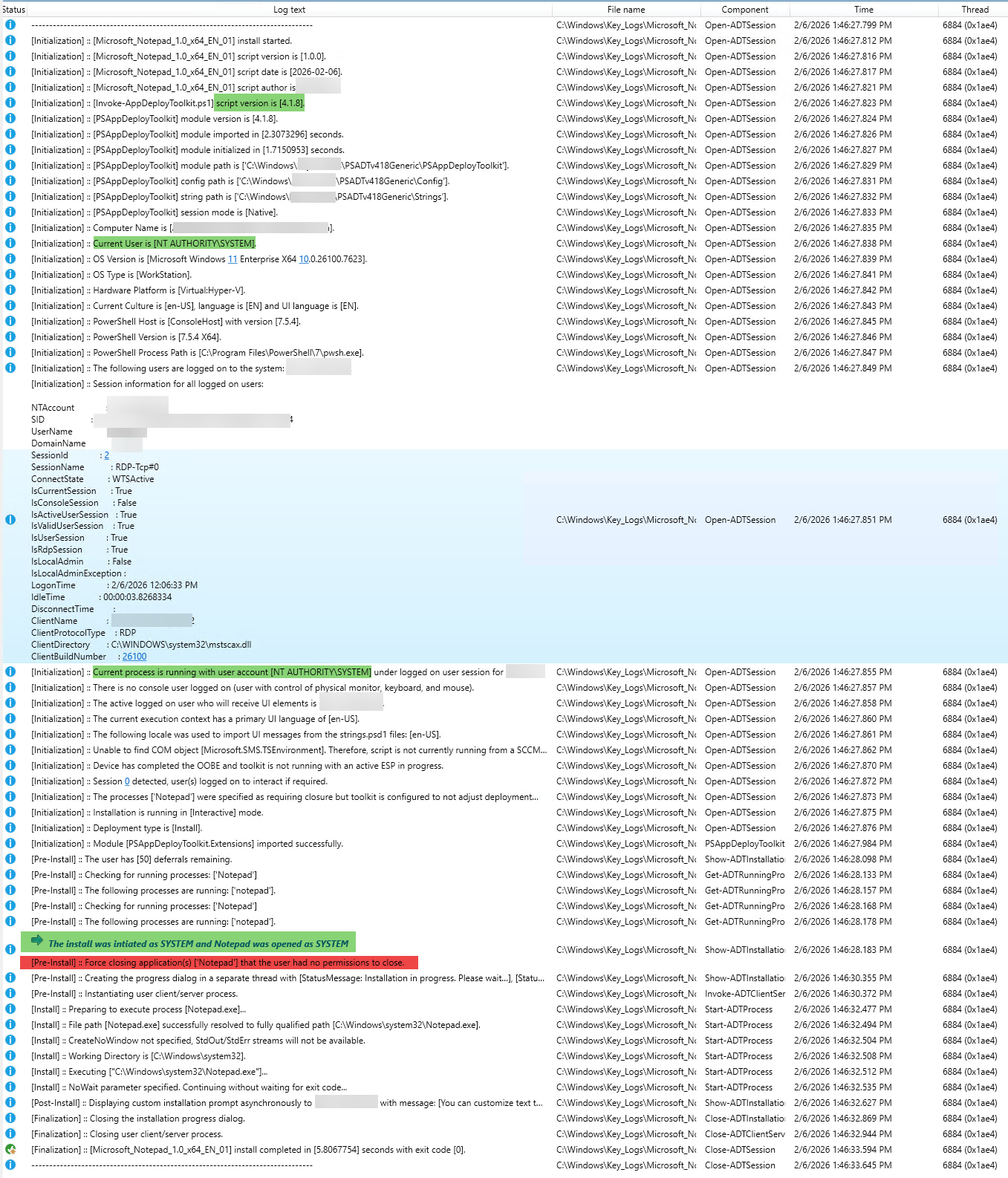
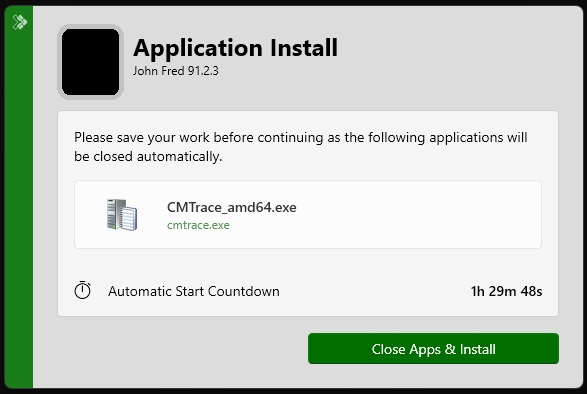
In case it's of any use to anyone, I'll share my function here (which is now a single function rather than two).
function Get-ADTProcessHandlingState {
    <#
    .SYNOPSIS
    Evaluates running processes and determines whether they are closeable or non-closeable.

    .DESCRIPTION
    Accepts both string process names and PSADT ProcessDefinition objects.
    Resolves the interactive logged-on user, enumerates matching processes,
    determines owner and elevation, classifies each process, and returns
    a single deployment-ready state object.

    .PARAMETER ProcessName
    One or more process names OR ProcessDefinition objects.

    .PARAMETER NonCloseablePromptTimeout
    Timeout in seconds before automatic continuation (for use with Show-ADTInstallationPrompt).
	Returned AutoContinueTime is calculated from EvaluationTime + NonCloseablePromptTimeout
	and formatted as HH:mm.

    .EXAMPLE
    Get-ADTProcessHandlingState -ProcessName 'notepad', 'winword'

    .EXAMPLE
    Get-ADTProcessHandlingState -ProcessName $adtSession.AppProcessesToClose

    .NOTES

	$processHandlingState = Get-ADTProcessHandlingState -ProcessName $adtSession.AppProcessesToClose
	If ($processHandlingState.closeable) {
		Show-ADTInstallationWelcome @welcomeParams
	}

	If ($processHandlingState.NonCloseable) {
		Show-ADTInstallationPrompt @nonCloseablePromptParams
		Show-ADTInstallationWelcome @nonCloseableWelcomeParams
	}

    #>

    [CmdletBinding()]
    param (
        [Parameter(Mandatory)]
        [object[]]$ProcessName,

        [Parameter(Mandatory = $false)]
        [int]$NonCloseablePromptTimeout = 5400
    )

    #region Helper Functions

    function Get-ADTValueOrDefault {
        param (
            $Value,
            [string]$Default = ''
        )

        if ($null -ne $Value -and $Value -ne '') {
            return $Value
        }

        return $Default
    }

    #endregion

    try {
        # --- NORMALISE INPUT ---
        # Supports:
        # - plain strings, e.g. 'notepad++'
        # - objects with a Name property, e.g. PSADT ProcessDefinition objects
        $targetProcesses = @(
            $ProcessName |
                ForEach-Object {
                    if ($_ -is [string]) {
                        $_
                    }
                    elseif ($null -ne $_ -and $_.PSObject.Properties['Name']) {
                        $_.Name
                    }
                    else {
                        [string]$_
                    }
                } |
                Where-Object { $null -ne $_ -and $_ -ne '' } |
                ForEach-Object { $_ -replace '\.exe$', '' } |
                Sort-Object -Unique
        )

        Write-ADTLogEntry -Message ("Evaluating processes: [{0}]" -f ($targetProcesses -join ', ')) -Severity 1

        # --- TIMING ---
        $evaluationTime = Get-Date
        $autoContinueTime = $evaluationTime.AddSeconds($NonCloseablePromptTimeout).ToString('HH:mm')

        # --- RESOLVE INTERACTIVE USER USING PSADT ---
        $interactiveUser = $null
        $sessionId = $null
        $sessionName = $null
        $isRdpSession = $null

        try {
            $loggedOnUsers = Get-ADTLoggedOnUser

            if ($loggedOnUsers) {
                $candidate = $loggedOnUsers | Where-Object { $_.IsActiveUserSession -eq $true } | Select-Object -First 1

                if (-not $candidate) {
                    $candidate = $loggedOnUsers | Where-Object { $_.IsCurrentSession -eq $true } | Select-Object -First 1
                }

                if (-not $candidate) {
                    $candidate = $loggedOnUsers | Where-Object { $_.IsValidUserSession -eq $true } | Select-Object -First 1
                }

                if ($candidate) {
                    if ($candidate.NTAccount) {
                        $interactiveUser = [string]$candidate.NTAccount
                    }
                    elseif ($candidate.DomainName -and $candidate.UserName) {
                        $interactiveUser = '{0}\{1}' -f $candidate.DomainName, $candidate.UserName
                    }

                    $sessionId = $candidate.SessionId
                    $sessionName = $candidate.SessionName
                    $isRdpSession = $candidate.IsRdpSession
                }
            }
        }
        catch {
            Write-ADTLogEntry -Message ("Get-ADTLoggedOnUser failed: {0}" -f $_.Exception.Message) -Severity 2
        }

        # Fallback if PSADT user-session resolution did not return a usable user
        if ([string]::IsNullOrWhiteSpace($interactiveUser)) {
            try {
                $interactiveUser = (Get-CimInstance Win32_ComputerSystem).UserName
            }
            catch {
            }
        }

        Write-ADTLogEntry -Message ("Interactive user resolved as: [{0}]" -f (Get-ADTValueOrDefault -Value $interactiveUser -Default 'Unknown')) -Severity 1

        # --- ADD TOKEN HELPER ONCE ---
        if (-not ([System.Management.Automation.PSTypeName]'TokenTools').Type) {
            Add-Type @"
using System;
using System.Runtime.InteropServices;

public class TokenTools {
    [DllImport("advapi32.dll", SetLastError=true)]
    public static extern bool OpenProcessToken(IntPtr ProcessHandle, UInt32 DesiredAccess, out IntPtr TokenHandle);

    [DllImport("advapi32.dll", SetLastError=true)]
    public static extern bool GetTokenInformation(
        IntPtr TokenHandle,
        int TokenInformationClass,
        IntPtr TokenInformation,
        int TokenInformationLength,
        out int ReturnLength
    );

    [DllImport("kernel32.dll", SetLastError=true)]
    public static extern bool CloseHandle(IntPtr hObject);
}
"@
        }

        $TOKEN_QUERY = 0x0008
        $TokenElevation = 20

        # --- BUILD LOOKUP TABLE FOR MATCHING PROCESS NAMES ---
        $lookup = @{}
        foreach ($name in $targetProcesses) {
            $clean = ($name -replace '\.exe$', '').ToLowerInvariant()
            $lookup[$clean] = $true
        }

        # --- ENUMERATE MATCHING PROCESSES ---
        $all = @()

        $processes = Get-CimInstance Win32_Process | Where-Object {
            $procName = ($_.Name -replace '\.exe$', '').ToLowerInvariant()
            $lookup.ContainsKey($procName)
        }

        foreach ($proc in $processes) {
            $owner = $null
            $isElevated = $null
            $context = 'Unknown'
            $canClose = $false

            # --- GET OWNER ---
            try {
                $ownerInfo = Invoke-CimMethod -InputObject $proc -MethodName GetOwner
                if ($ownerInfo.ReturnValue -eq 0) {
                    $owner = "$($ownerInfo.Domain)\$($ownerInfo.User)"
                }
            }
            catch {
                Write-ADTLogEntry -Message ("Failed to get owner for PID {0}" -f $proc.ProcessId) -Severity 2
            }

            # --- CHECK TOKEN ELEVATION ---
            $tokenHandle = [IntPtr]::Zero
            $ptr = [IntPtr]::Zero

            try {
                $p = Get-Process -Id $proc.ProcessId -ErrorAction Stop

                if ([TokenTools]::OpenProcessToken($p.Handle, $TOKEN_QUERY, [ref]$tokenHandle)) {
                    $ptr = [System.Runtime.InteropServices.Marshal]::AllocHGlobal(4)
                    $returnLength = 0

                    $success = [TokenTools]::GetTokenInformation(
                        $tokenHandle,
                        $TokenElevation,
                        $ptr,
                        4,
                        [ref]$returnLength
                    )

                    if ($success) {
                        $isElevated = ([System.Runtime.InteropServices.Marshal]::ReadInt32($ptr) -eq 1)
                    }
                }
            }
            catch {
                Write-ADTLogEntry -Message ("Failed to inspect elevation for PID {0}" -f $proc.ProcessId) -Severity 2
            }
            finally {
                if ($ptr -ne [IntPtr]::Zero) {
                    [System.Runtime.InteropServices.Marshal]::FreeHGlobal($ptr) | Out-Null
                }

                if ($tokenHandle -ne [IntPtr]::Zero) {
                    [TokenTools]::CloseHandle($tokenHandle) | Out-Null
                }
            }

            # --- CLASSIFY PROCESS CONTEXT ---
            if (-not $owner) {
                $context = 'Unknown'
            }
            elseif ([string]::IsNullOrWhiteSpace($interactiveUser)) {
                $context = 'UnknownInteractiveUser'
            }
            elseif ($owner.Equals($interactiveUser, [System.StringComparison]::OrdinalIgnoreCase)) {
                if ($isElevated -eq $true) {
                    $context = 'SameUser-Elevated'
                }
                else {
                    $context = 'SameUser-Standard'
                }
            }
            else {
                $context = 'DifferentUser'
            }

            # Preserve current model:
            # only same interactive user / standard token is considered closeable
            $canClose = ($context -eq 'SameUser-Standard')

            # --- LOG PER-PROCESS RESULT ---
            $logOwner = Get-ADTValueOrDefault -Value $owner -Default 'Unknown'
            $logElev = Get-ADTValueOrDefault -Value $isElevated -Default 'Unknown'

            Write-ADTLogEntry -Message (
                'Process [{0}] PID [{1}] Owner [{2}] Elevated [{3}] Context [{4}] CanClose [{5}]' -f
                $proc.Name,
                $proc.ProcessId,
                $logOwner,
                $logElev,
                $context,
                $canClose
            ) -Severity 1

            # --- OUTPUT RAW PROCESS RESULT ---
            $all += [PSCustomObject]@{
                ProcessName = ($proc.Name -replace '\.exe$', '')
                ProcessId   = [int]$proc.ProcessId
                Owner       = $owner
                Elevated    = $isElevated
                Context     = $context
                CanClose    = $canClose
            }
        }

        if (-not $all) {
            Write-ADTLogEntry -Message 'No matching running processes detected.' -Severity 1
        }

        # --- DERIVED BUCKETS ---
        $closeable = @($all | Where-Object { $_.CanClose -eq $true })
        $nonCloseable = @($all | Where-Object { $_.CanClose -ne $true })

        # --- PROCESS-NAME LISTS ---
        $closeableNames = @(
            $closeable |
                Select-Object -ExpandProperty ProcessName -ErrorAction SilentlyContinue |
                Where-Object { $_ } |
                ForEach-Object { $_ -replace '\.exe$', '' } |
                Sort-Object -Unique
        )

        $nonCloseableNames = @(
            $nonCloseable |
                Select-Object -ExpandProperty ProcessName -ErrorAction SilentlyContinue |
                Where-Object { $_ } |
                ForEach-Object { $_ -replace '\.exe$', '' } |
                Sort-Object -Unique
        )

        $closeableList = $closeableNames -join ', '
        $nonCloseableList = $nonCloseableNames -join ', '

        # --- DISPLAY TEXT ---
        $nonCloseableDisplayText = (
            $nonCloseable |
                Sort-Object ProcessName, Owner, ProcessId |
                ForEach-Object {
                    "{0} ({1}; {2})" -f `
                        (Get-ADTValueOrDefault $_.ProcessName 'UnknownProcess'),
                        (Get-ADTValueOrDefault $_.Owner 'UnknownOwner'),
                        (Get-ADTValueOrDefault $_.Context 'UnknownContext')
                }
        ) -join [Environment]::NewLine

        # --- RESULT OBJECT ---
        $state = [PSCustomObject]@{
            PSTypeName = 'ADT.ProcessHandlingState'

            TargetProcesses           = $targetProcesses
            NonCloseablePromptTimeout = $NonCloseablePromptTimeout
            EvaluationTime            = $evaluationTime
            AutoContinueTime          = $autoContinueTime

            InteractiveUser           = $interactiveUser
            SessionId                 = $sessionId
            SessionName               = $sessionName
            IsRdpSession              = $isRdpSession

            All                       = $all
            Closeable                 = $closeable
            NonCloseable              = $nonCloseable

            CloseableProcessList      = $closeableNames
            NonCloseableProcessList   = $nonCloseableNames

            CloseableList             = $closeableList
            NonCloseableList          = $nonCloseableList
            NonCloseableDisplayText   = $nonCloseableDisplayText

            HasRunningProcesses       = ($all.Count -gt 0)
            HasCloseable              = ($closeable.Count -gt 0)
            HasNonCloseable           = ($nonCloseable.Count -gt 0)
            TotalCount                = $all.Count
            CloseableCount            = $closeable.Count
            NonCloseableCount         = $nonCloseable.Count
        }

        if ($state.TotalCount -gt 0) {
            Write-ADTLogEntry -Message (
                'Total [{0}] Closeable [{1}] NonCloseable [{2}] User [{3}] AutoContinue [{4}]' -f
                $state.TotalCount,
                $state.CloseableCount,
                $state.NonCloseableCount,
                (Get-ADTValueOrDefault $state.InteractiveUser 'Unknown'),
                $state.AutoContinueTime
            ) -Severity 1
        }

        return $state
    }
    catch {
        Write-ADTLogEntry -Message ("Get-ADTProcessHandlingState failed: {0}" -f $_.Exception.Message) -Severity 3
        throw
    }
}