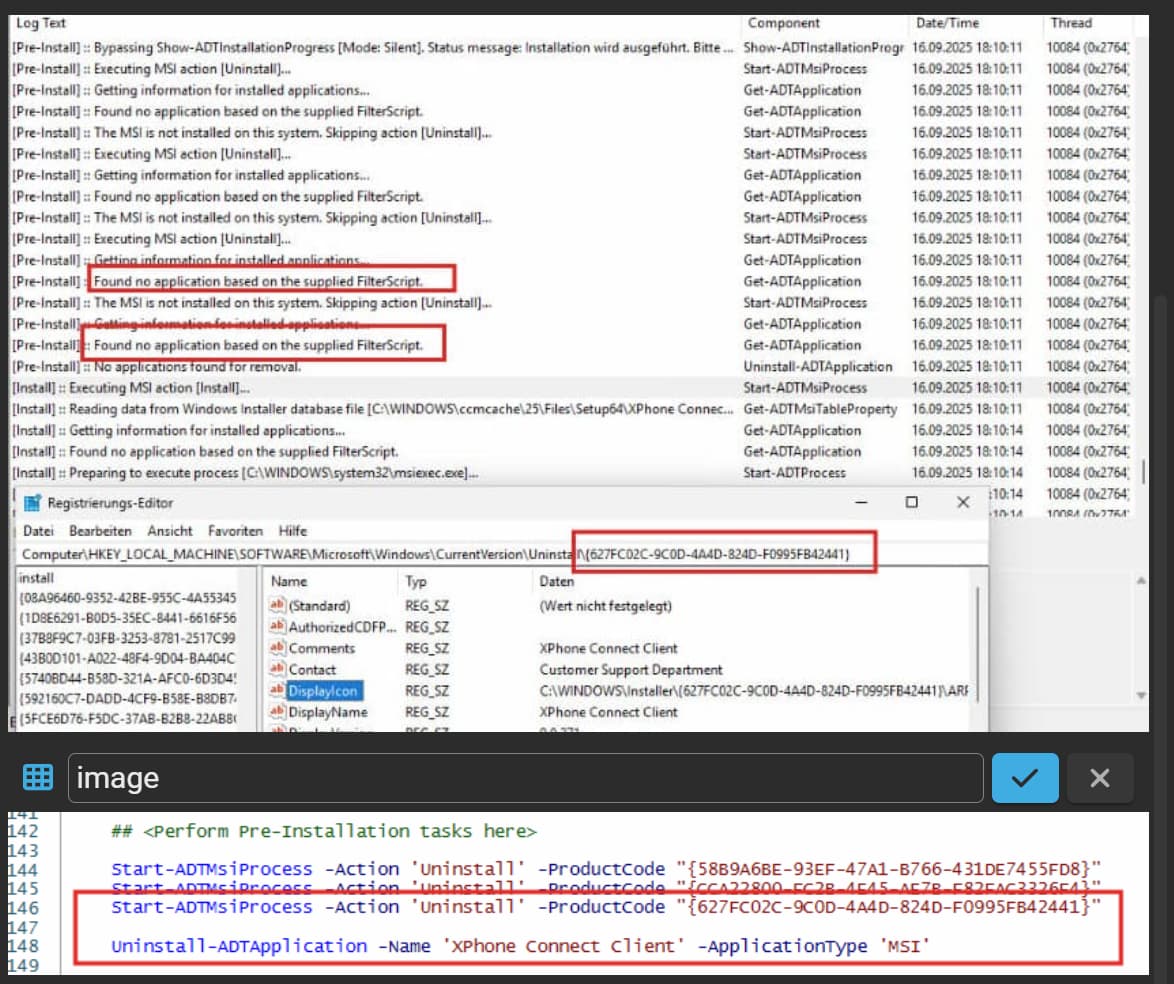
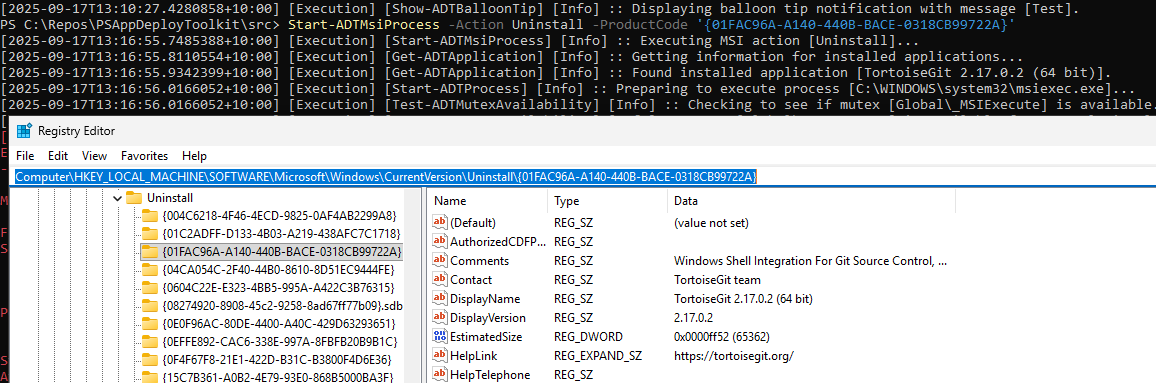
I'm experiencing a rather strange issue where I cannot seem to get an MSI uninstalled. Whether I'm trying to call it via Start-ADTMsiProcess and Product Key or Uninstall-ADTApplication and DisplayName.
It always skips the steps with "Found no application based on the supplied FilterScript". Any ideas?
All 4 lines from the second screenshot output the „no application found by the supplied filter“ message, while only the last two are relevant on the specific system. The first two arent installed.
I have found the issue. The app is installed as an MSI and behaves like an MSI - BUT - It sets the "WindowsInstaller" value in its uninstall key to 0.
After manually setting it to 1, the following uninstall commands work:
Although I think PSADT v3.X did not care about this value.
Interesting, I've never seen this. Technically it's poor form on the app, but who's to say there's not others out there. I've submitted a PR for 4.1.6 to validate whether an app is an MSI-based app by extra means in case this comes up again.
Thanks for your time!
Yes, I fully agree, that one's 100% on the App Publisher. But like you said, who knows how often this happens.
Maybe an additional parameter like "-IgnoreWindowsInstallerBool" would also be an option, if all other MSI indicators are given? And/or a hint in the documentation, that this value is evaluated.
The UninstallString and the WindowsInstaller value are set automatically by Windows Installer, so the installation developer would have to go out of their way to develop a custom action to change/delete that key. Turns out that's exactly what they did here!
I downloaded the latest and there is a dll-based custom action 'C4B_90_MsiARPinformation' that runs after the standard PublishProduct action.