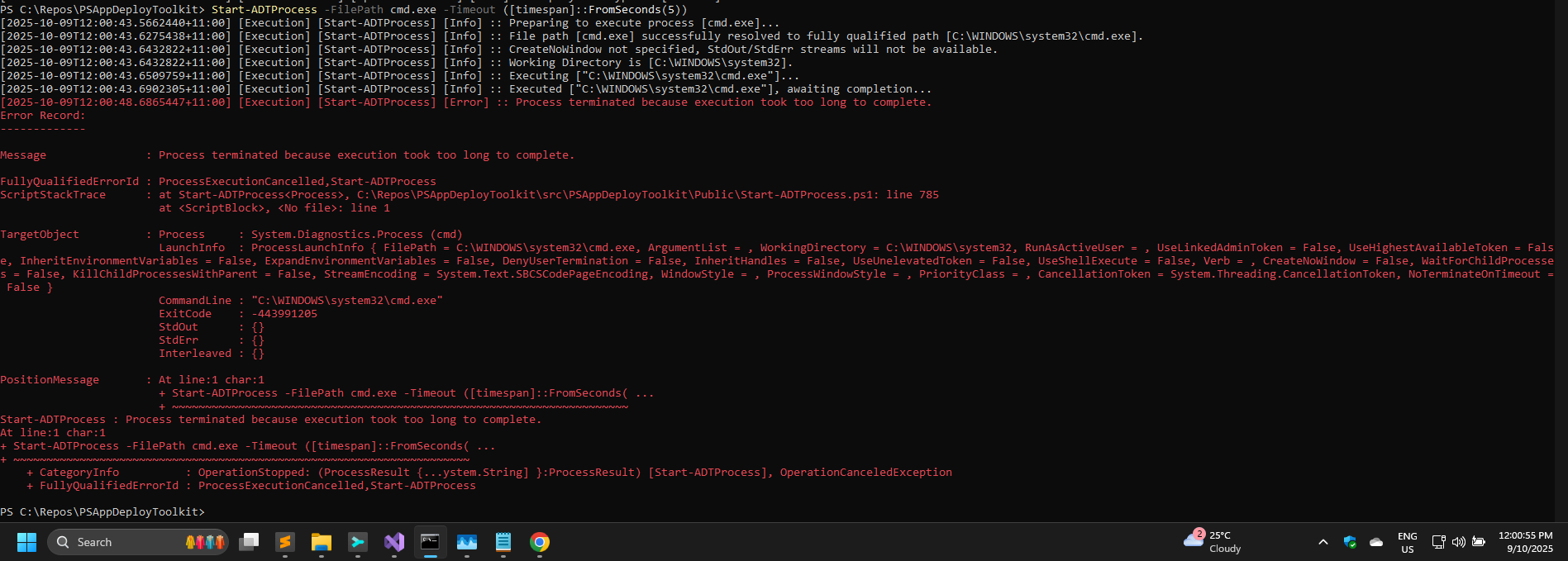
I am currently working with an .exe that sometimes doesn’t exit properly so thought that the new -Timeout switch would be great to time out the running .exe after a certain amount of time and then continue with the rest of the script, however upon adding the switch it doesn’t seem to timeout the .exe at all, it seems to just not do very much.
I’m running it as Start-ADTprocess -FilePath “file.exe” -ArgumentList “Args” -WindowStyle Hidden -Timeout (New-Timespan -Minutes 5) -Passthru
I’ve tried various -TimeoutActions after the -Timeout with no success
Has anybody used the switch successfully that could possibly point me in the right direction please?
I'm uncertain what causes "...an .exe that sometimes doesn’t exit properly..."
Wondering if you could try the -WaitForChildProcesses switch on the Start-ADTProcess command
N.B. In your example you put a space between ADT and process unsure if that was a copy / paste error?
It just doesn’t exit at all, it times out via SCCM/Intune at the minute but I need it to timeout and then do some clean up actions hence the -Timeout switch which is new to the toolkit but it doesn’t seem to have worked for me.
For the 3rd time today, the forum isn't the place for bug reports. All reports need to go to GitHub. The forums deliberately have no bugs section for a reason.