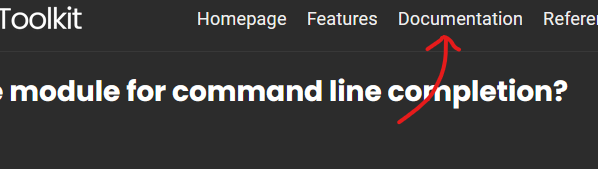
So far I have just been taking commands and running them by invoke-appdeploytoolkit. But I never have command line completion or know how a command should look without looking at the documentation.
Is there a way to load the module? I would think there is but OMG I cannot find a real mention of how to. I would think this would be part of the standard docs on how to use the product. If it exists I’m using all the wrong words to find it. Google isn’t helping. Forum search is a no go.
So can I load a module? Can I get command line completion?
Have you reviewed the Documentation:
There is guidance in here “Creating a new Deployment”
Hello Adrian,
I have read the documentation. There is no mention of how to go about loading the module to get command line completion.
This is what I originally stated in my question. Image to docs is kind of not an answer.
The command you are looking for is Import-Module
Just to add on top of the other answers, we’re here and able to help with PSAppDeployToolkit. If you are still learning the absolute basics such as importing a module, you need to start with Microsoft’s documentation on PowerShell first before visiting our toolkit.
Hello All,
It seems I was having trouble just realizing what was being done with the modules. I know modules and powershell and all that. Sometimes the instructions are a little terse so it’s easy to miss details.
The details on download just go over installing the module. They don’t explicitly say to import the module. There are many modules now that load after install and don’t require the Import-Module command.
The article:
#install
Install-Module PSAppDeployToolkit.Tools -AllowPreRelease
It never mentions.
#import
Import-Module PSAppDeployToolkit.Tools
Further in the docs it goes right into New-ADTTemplate.
All together I should have known to Import-Module, but sometimes when you’re learning a new tool or new procedures for an older tool it is easy to gloss over.
If you have installed the module from the PowerShell Gallery (or have downloaded and copied it to one of the folders in $env:PSModulePath), you need never import it manually. PowerShell will auto-load any modules from those folders when you attempt to run or auto-complete any commands belonging to one.